Everything you need to keep your fleet under control
From daily inspections and damage reporting to HSE incidents and direct communication with drivers. AppOnTheRoad brings all processes together in one platform.

App on the Road brings daily inspections, damage and defect reports, HSE reports and driver communication together in one platform — for on the road and at the office.
Plan and track all your maintenance on one work order calendar
Plan and manage maintenance and repair jobs centrally — for your own workshop and for external garages. Work orders are linked automatically to the damages and defects drivers report in the app, so every issue makes its way to the right repair.
A Google Calendar-style month or week view shows at a glance what is scheduled, which vehicle is off the road, and how busy your workshop is this week.
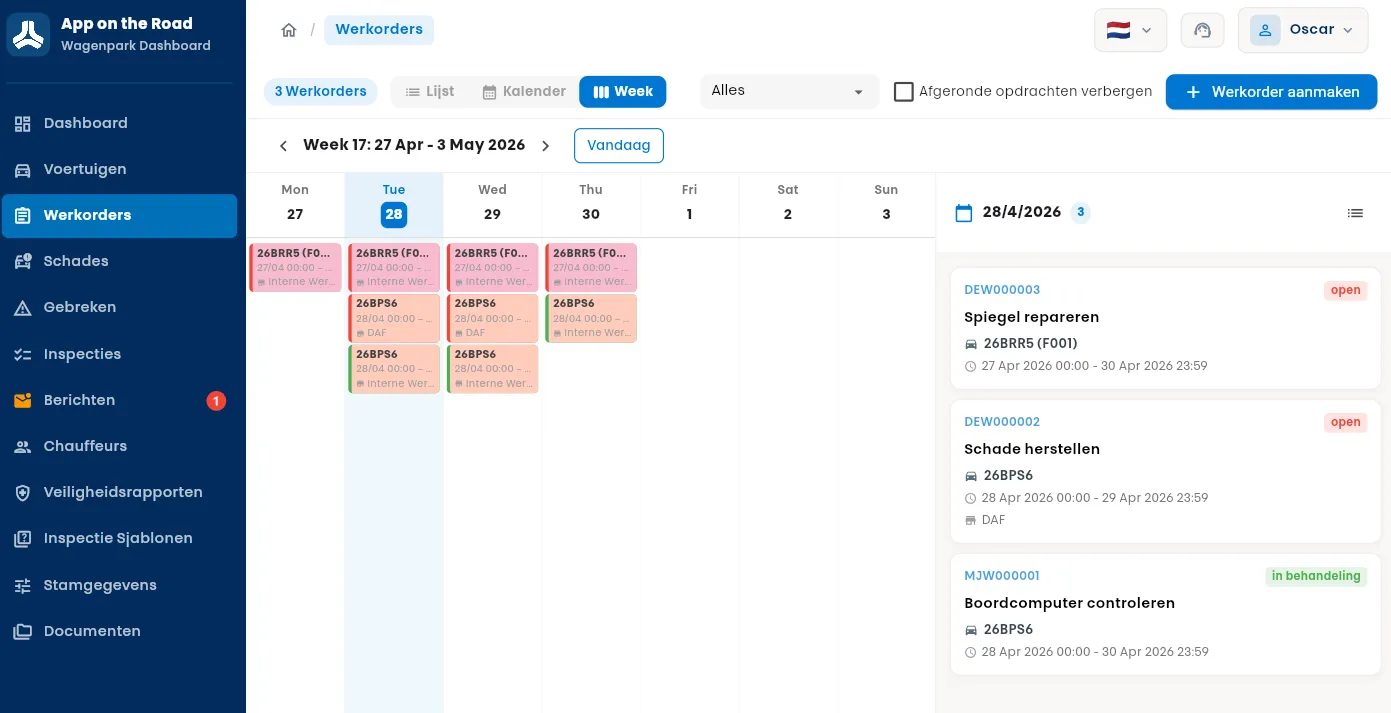
“One calendar for your entire workshop — internal and external.”
Benefits
- Full month at a glance: see workshop load in one screen and avoid double-booking the same vehicle.
- Color coding per vehicle: every vehicle gets its own pastel color and the license plate is shown on each work order pill — repeat jobs on the same car stand out immediately.
- Status and overdue markers: every work order is colored by status and overdue jobs get a red flag — nothing slips through.
- Holidays and closed days: public holidays and your own company "special days" are marked on the calendar, so nothing gets scheduled on a closed day.
- Internal and external in one tool: your in-house workshop and external garages live on the same planning — one click to email the vendor.
How does it work?
- 1 Pick a vehicle and a date/time, or mark the work order as all-day.
- 2 Assign the work order to your internal workshop or an external vendor.
- 3 Link existing defects and damages — the system suggests open issues for the selected vehicle.
- 4 Track costs (repair, parts, labor, external service) and attach quotes, invoices, or photos.
- 5 Send the work order to the vendor by email — subject and body are auto-filled from the work order.
Prevent downtime with a daily inspection in the app
With App on the Road you prevent unnecessary vehicle downtime, damage, and administrative burden. Drivers complete their daily vehicle inspection quickly and easily in the app and can hit the road safely right away.
The information entered is immediately available in the App on the Road Operation Dashboard, the central work screen for fleet management.
Read more
"All inspections and reports are recorded in one clear, consistent way."
Benefits
- Damage or defects reported quickly: a defect can be created directly from the inspection, including notes and photos.
- Tailored to your vehicle types: the driver automatically receives the inspection form for the vehicle they are about to use.
- Digital safety declaration: after inspection, a confirmation follows whether the vehicle can safely take the road.
- Real-time in the Operation Dashboard: everything entered via the app is instantly in the central dashboard — ready for follow-up.
- Full visibility for fleet management: after inspection, rejected vehicles and defects are immediately visible to the back office.
How does it work?
- 1 The driver opens the app and selects the vehicle.
- 2 The inspection list appears automatically, tailored to the vehicle type.
- 3 The driver runs through all checkpoints and can report damage or defects.
- 4 Photos and notes are added where needed.
- 5 The inspection is signed digitally and saved directly in the App on the Road Operation Dashboard.
Report damage quickly and accurately from the app
Wherever vehicles are used, damage occurs. App on the Road makes the process easy. Reporting damage via the app is fast and error-free. Paperwork and back-office calls are a thing of the past. The driver handles it all in the app.

"Reporting damage via the app is fast and error-free."
The benefits
- Damage can be entered easily by the driver in the app.
- Multiple photos can be uploaded.
- The app contains a simple step-by-step process for reporting damage.
- Damage reports arrive directly and accurately in the Operation Dashboard.
- The app is tailored to your internal processes.
How does it work?
In just a few steps the driver enters in the app what happened, where and when, and who was involved. With handy checklists this takes little time and information enters the system uniformly. Fast, convenient, and smart.
Keep your fleet safe and well maintained
A scratch on the mirror, a chip in the windshield, or an air conditioner that suddenly fails. These are annoying defects that come up regularly. With App on the Road, drivers can easily and quickly report a defect.
All defects for a vehicle are bundled and automatically included in the next maintenance visit. The system enables drivers and managers to jointly maintain a safe, reliable, and well cared-for fleet.

"Defects are bundled and included in the next maintenance moment."
The reporting process
- Find the right vehicle in the app.
- Enter a brief description of the defect.
- Add a photo as supporting evidence.
- Defects are bundled per vehicle for planned maintenance.
Simple and quick
No more calling the back office and waiting on hold. Drivers can submit reports whenever it suits them. Within seconds all the information is correctly stored in the system.
Safety comes first
With the HSE module in App on the Road, drivers can easily report unsafe situations, near-misses, or actual incidents. Everything through one user-friendly app, without complicated forms or cumbersome processes.
All reports go directly to the App on the Road Operation Dashboard, where fleet managers and HSE coordinators can follow up immediately. This ensures continuous oversight, speed, and control.

"Safe work is a shared responsibility."
For drivers
- Quick and easy reporting via the app, anywhere and anytime.
- No more paperwork or scattered phone calls.
- Be heard directly — reports do not get lost, but go straight to the right department.
For your organization
- 1 Real-time visibility into all HSE reports, centrally collected.
- 2 Faster follow-up thanks to direct processing in the App on the Road Operation Dashboard.
- 3 Prevention and improvement: by recognizing patterns and trends, risks can be addressed structurally.
- 4 Engaged employees: drivers feel taken seriously because their reports have direct impact.
- 5 Accountability and compliance: always demonstrable that incidents and unsafe situations are recorded and followed up.
Safe work is a shared responsibility. With the HSE module from App on the Road it becomes accessible and effective to make and follow up on reports. This way drivers and organizations build a safer work environment together.
Always in touch with your drivers
With the messaging module in App on the Road, the back office stays easily in touch with drivers. Drivers send messages via the app, the back office responds directly from the Operation Dashboard. All conversations are kept and visible to the entire team.

"Quick questions, reminders, and fast follow-up — without detours."
Benefits for the fleet manager
- Direct communication with drivers from the Operation Dashboard.
- Quick switching with drivers.
- Option to send push notifications.
- Always an overview of open conversations.
Benefits for drivers
- 1 Easy and quick communication while on the road.
- 2 Receive push notifications so you never miss anything.
- 3 Reply directly via the app.
- 4 Visibility into conversation history.
The chatbox works just like messaging services such as WhatsApp or Signal. An important addition is that the messages end up in one system. So every back-office employee has insight into the conversations and no duplicate questions are asked. That saves time and prevents miscommunication.
Everyone works in their own language — translated live, automatically
The driver app and the Operation Dashboard are fully multilingual. Every user sees the inspection questions, reports and buttons automatically in their own language. Available in English, Dutch, Polish, French, German, Czech, Spanish, Bulgarian, Serbian, Hungarian, Italian and Romanian.
The special part is the free text: comments on an inspection and descriptions of a defect or damage report are translated live between languages. If a Polish driver reports a defect in Polish, a German colleague sees it in German and the Dutch fleet manager in Dutch — each with the option to show the original ("Translated from … — show original").

"No language barrier, no miscommunication — everyone reads in their own language."
Benefits
- Everyone in their own language: the app and dashboard automatically adapt to the user's preferred language.
- Live translation of free text: comments and descriptions on inspections, defects and damage are automatically translated into the language of whoever is viewing them.
- Original always visible: every translated text shows "Translated from … — show original", so the source is one click away.
- No language barrier: driver and back office understand each other instantly, whatever languages they speak.
- One way of working, internationally: the same process for the entire fleet, even with a multilingual driver pool.
How does it work?
- 1 The driver carries out an inspection or report and types the comment in their own language.
- 2 The report is recorded once and sent to the Operation Dashboard in real time.
- 3 Everyone who views the report — fellow driver or fleet manager — sees the text automatically in their own language.
- 4 With "show original", the original text is always one click away.
This way everyone works on the same vehicle and the same report without language getting in the way — from the driver on the road to the manager in the office.
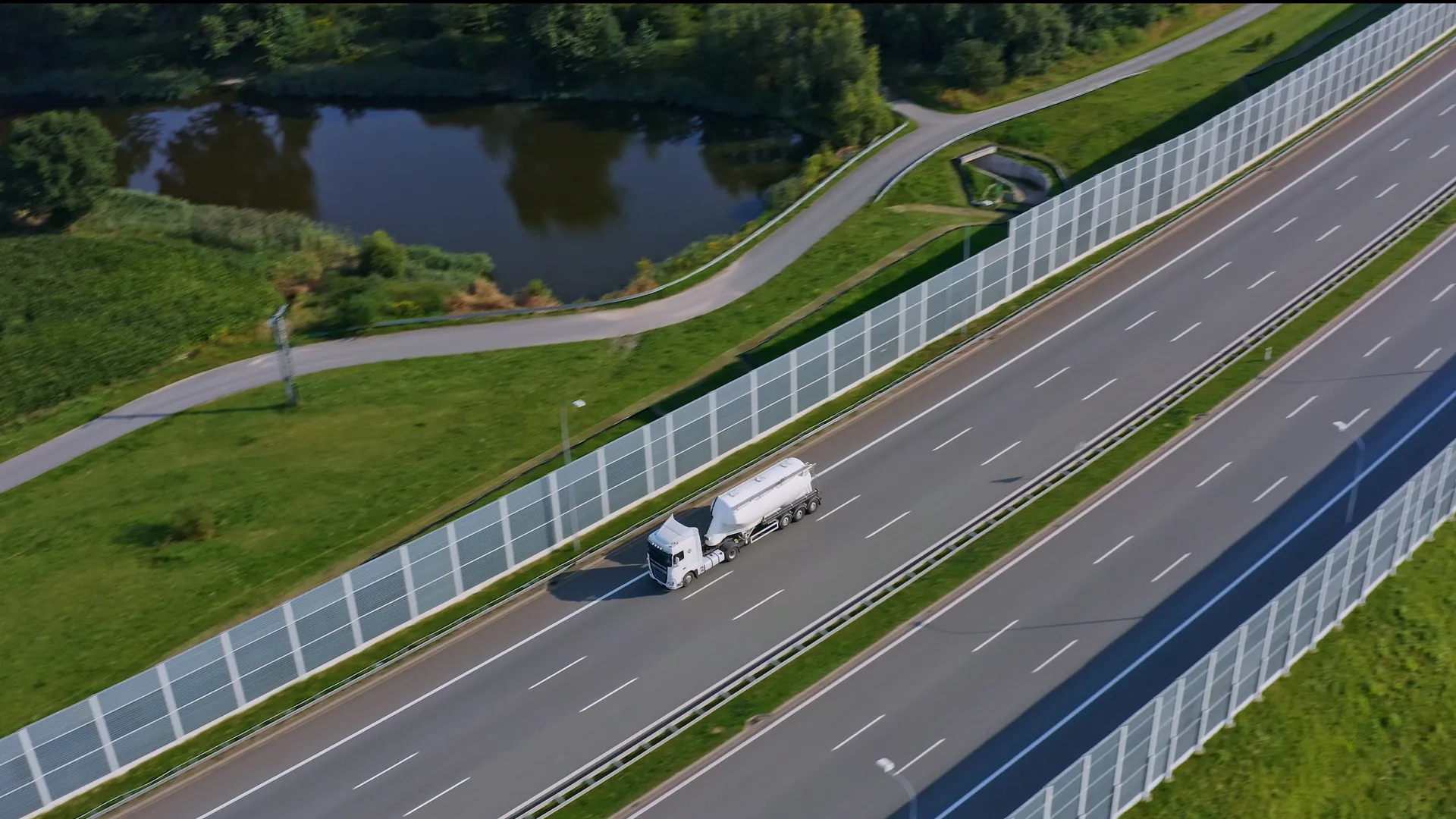
More control. Less hassle.
By organizing everything centrally and in real time, you work more efficiently and avoid errors and delays. You always have insight into the status of your fleet and can act faster when needed.
See how it worksFrequently asked questions
How does a digital vehicle inspection work?
The driver opens the app, selects the vehicle and works through the checklist that automatically matches the vehicle type. Damage or defects are reported straight away with a photo and note; after digital sign-off the results are available in real time in the Operations Dashboard, Ultimo or AFAS.
Can drivers add photos?
Yes. With a damage or defect report the driver adds up to four photos, with a short description.
Does App on the Road work with Ultimo?
Yes. App on the Road links in real time with Ultimo and AFAS, so inspections and reports land directly in your fleet management system.
How quickly can a defect be reported?
In a few seconds: find the vehicle, add a short description and take a photo. The report lands in the right place in the system straight away.
Does the app work offline?
The app needs an internet connection to send data and sync with the dashboard in real time.
Can foreign drivers use the app?
Yes. App on the Road is available in 11 languages, so every driver uses the app in their own language.
Are reports automatically translated between languages?
Yes. Every user sees the inspection questions and reports in their own language. The free text from inspections and defect or damage reports — the comments — is translated live: a Polish report appears in German for a German driver and in Dutch for the fleet manager, each with the option to show the original. Available in English, Dutch, Polish, French, German, Czech, Spanish, Bulgarian, Serbian, Hungarian, Italian and Romanian, among others.
Is there a web dashboard?
Yes. Fleet managers work in the App on the Road – Operations Dashboard, where all inspections, damage, defects and reports come together in real time.
Schedule your demo
In 30 minutes we walk you through how a driver completes an inspection, how damage and defect reports land in the dashboard, and how you follow up on alerts straight away.
Your details:
What you'll discover:
- Lasts 30 to 60 minutes
- Live insight into the app
- No obligations
